Enterprise RAID 5 Case Study: Recovering 16 Hitachi Drives Server After Double HDD Failure
November 17, 2026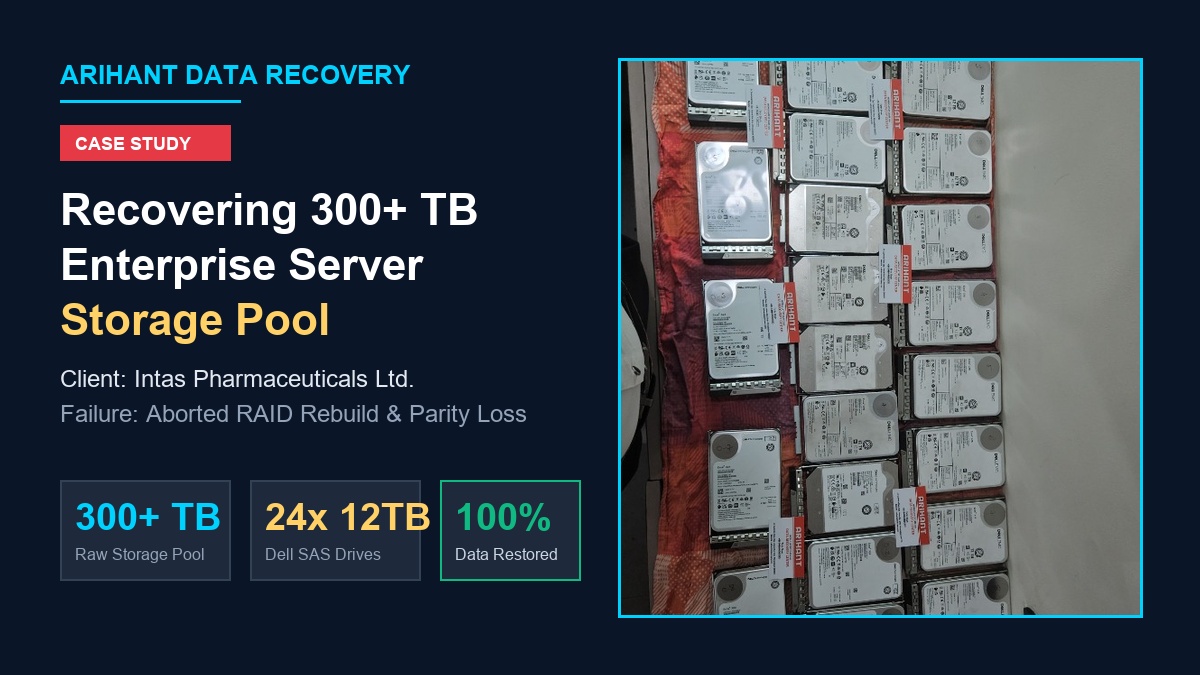
100% RECOVERY CONFIRMED
In heavily regulated global industries like pharmaceuticals, electronic record keeping is non-negotiable. Continuous manufacturing batch records, laboratory telemetry, quality control chromatography databases, and ERP logistics must remain intact to meet strict regulatory audits and compliance frameworks (such as US FDA 21 CFR Part 11).
Recently, Arihant Data Recovery was entrusted with a massive, mission-critical recovery assignment by Intas Pharmaceuticals, an industry-leading multinational healthcare company. Their centralized enterprise storage infrastructure—housing over 300 Terabytes of active server data spanning 24+ high-capacity Dell EMC 12 TB enterprise SAS drives—had completely collapsed following an interrupted RAID reconstruction.
During an automated background rebuild, the RAID controller encountered multiple read timeouts across member drives, freezing mid-cycle. The reconstruction aborted, wiping out the array’s partition definitions. All primary shared storage pools, accounting databases, and regulatory records vanished from the operating system, showing as unallocated raw storage.
This project stands as one of the largest single-client multi-hundred terabyte SAS SAN/NAS storage retrievals conducted in Western India, executed without any loss to proprietary pharmaceutical batch records.
The Hidden Dangers of Large-Scale RAID Reconstruction
In high-capacity enterprise storage pools (utilizing 10TB, 12TB, or 16TB drives), a RAID rebuild is the single most vulnerable period for an organization’s data:
- Extreme Rebuild Stress: Reconstructing hundreds of terabytes requires reading every sector across all surviving member disks at sustained maximum I/O for days. Similar risks occur in RAID controller failures where hardware bottlenecks trigger array crashes.
- Latent Sector Errors: As drives age together in the same high-vibration rack, latent bad sectors often develop simultaneously. When a rebuild encounters bad sectors on a second drive, the controller aborts.
- Corrupted Parity Synchronization: When an array fails mid-rebuild, portions of the data blocks reflect newly calculated parity, while other blocks still contain outdated or uncalculated data. This creates a desynchronized “split” array geometry that causes irreversible data cross-linking if forced back online. Learn more about post-rebuild breakdowns in our guide on what to do when RAID 5 fails after a rebuild.
Recognizing the extreme risk, the IT engineering team at Intas Pharmaceuticals immediately stopped all controller operations and engaged Arihant Data Recovery’s enterprise disaster recovery laboratory.
Laboratory Ingestion & Forensic Diagnostics
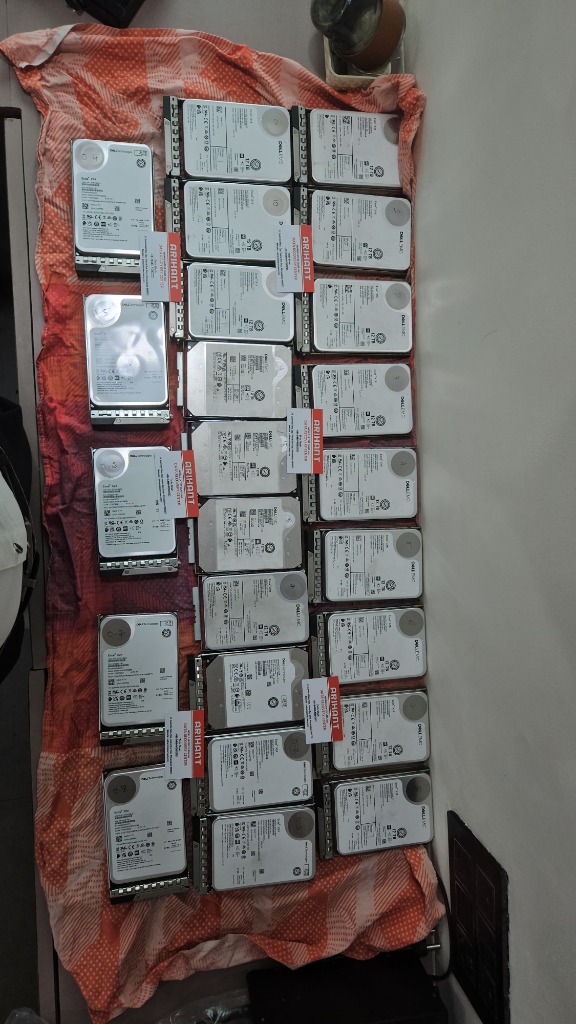
Upon arrival at our specialized facility, all 24+ Dell EMC 12TB hard drives were cataloged, assigned forensic tracking tags, and mapped according to their original server channel and enclosure bay slots.
- Hardware Write-Blocked Profiling: Each drive was interfaced with high-speed SAS write-blockers to prevent any write attempts from host systems.
- Firmware & SMART Diagnostics: Factory service areas, P-List / G-List defect logs, and head channel health were profiled. Several member drives exhibited high read-retry latency and bad sector clusters that had caused the original controller to hang.
The Recovery Engineering Process: Rescuing 300+ Terabytes
To safely reconstruct a 300+ TB enterprise volume without risking further corruption, our team executed a specialized four-stage virtual reconstruction methodology:
1. Byte-Level High-Speed SAS Sector Cloning
Before any logical manipulation occurred, 100% byte-for-byte binary clones were generated for all member drives using dedicated enterprise imagers (PC-3000 SAS). Imaging over 300 TB of enterprise SAS drives demands high-throughput lab storage arrays and thermal-controlled benches to prevent performance throttling. Bad sector areas were mapped and read using adaptive timeout algorithms to maximize clean sector extraction.
2. Algorithmic Hex Analysis & Stripe Parameter Detection
Because the physical RAID controller’s configuration metadata was shattered by the aborted rebuild, our engineers determined array geometry directly from raw hex structures:
- Stripe / Block Size: Analyzing file system tables, database markers, and partition offsets established the exact striping boundary.
- Drive Order & Sequence: Cross-referencing continuous data blocks across all 24 disk images allowed our engineers to mathematically calculate the physical order of every member disk.
- Excluding Desynchronized Stale Blocks: Our engineers isolated the stale parity blocks written during the aborted rebuild, preventing bad parity calculations from contaminating clean files.
3. Custom Virtual RAID Rebuilding (No Hardware Controller)
Rather than using the physical server hardware—which had caused the initial crash—our engineers reconstructed the entire 300+ TB pool virtually in custom memory architecture. The virtual engine calculated parity on the fly, safely routing and assembling multi-terabyte files without modifying the original clone data. This virtual strategy is essential across all enterprise storage, including Synology multi-drive NAS failures and large SAN storage arrays.
4. File System Mount & Integrity Verification
Once the virtual volume was mounted, we performed rigorous consistency checks across core corporate databases, document repositories, and analytical batch logs. The file system emerged completely intact with all directory structures, permissions, and file integrity verified.
Case Summary & Technical Results
Best Practices for Enterprise IT Teams Managing Large RAID Arrays
High-capacity drives (10TB, 12TB, 16TB+) carry enormous rebuild times—often taking 3 to 7 days under normal operating loads. During this window:
- Never force an aborted rebuild online: If an automated rebuild failed once, forcing it online will overwrite valid data blocks with corrupt parity.
- Do not swap drives randomly: Swapping drive slots or inserting unverified drives triggers automatic initialization, which can permanently destroy file table pointers.
- Keep detailed bay records: Always photograph and label drive slot numbers before removing drives from the server chassis.
- Consult an enterprise recovery lab with 300+ TB processing capabilities: Handling massive multi-terabyte arrays requires dedicated enterprise imaging infrastructure and deep virtual reconstruction engineering. Discover why businesses trust professional facilities in our article on why choose professional data recovery services.