
Fire-Damaged Server Data Recovery: Recovering 5 Burnt Enterprise SSDs via Chip-off & Donor PCB Transplant
November 19, 2026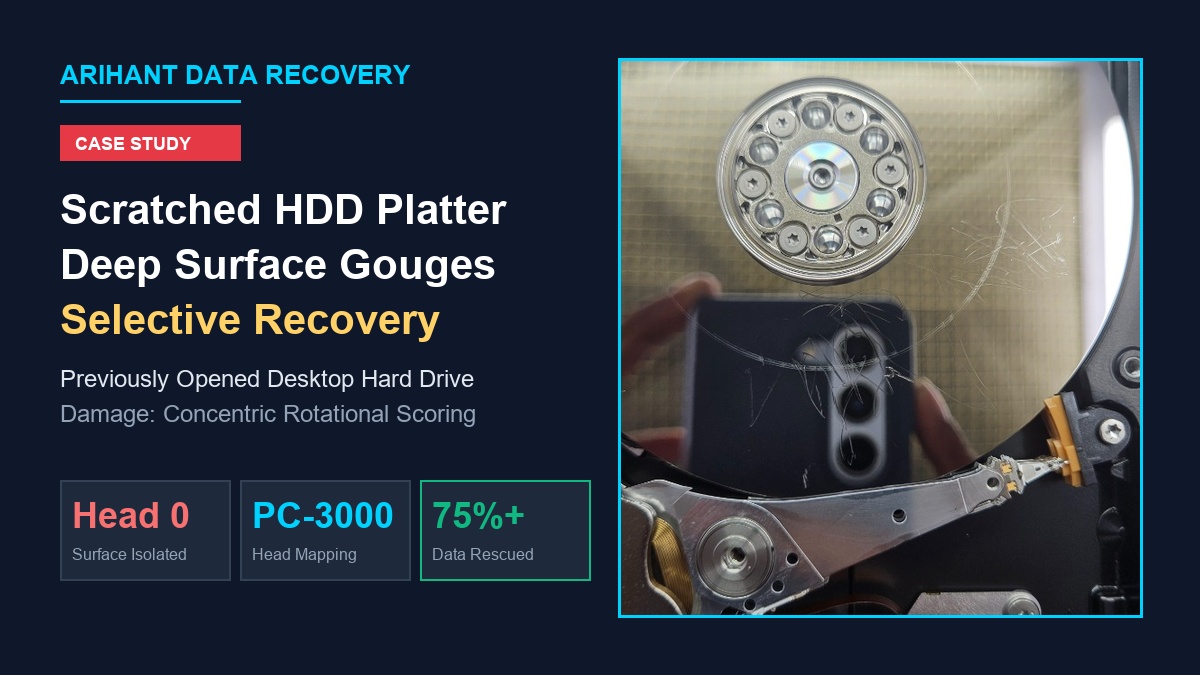
75%+ RESCUED FROM DESTROYED PLATTER
Among data recovery engineers worldwide, one scenario is universally recognized as the most devastating: a hard drive that was improperly opened before reaching a certified laboratory, resulting in deep physical gouges and scratches across the magnetic platters.
Recently, a distressed client visited Arihant Data Recovery with a desktop hard drive. Before contacting us, an untrained local repair shop had opened the top lid in an ordinary, unsterile environment attempting to fix a clicking noise. During this mishandling, the read/write head assembly was bent and dragged forcefully across the spinning platter surface, leaving heavy rotational scratches, multidirectional gouges, and physical dents across the primary magnetic data layer.
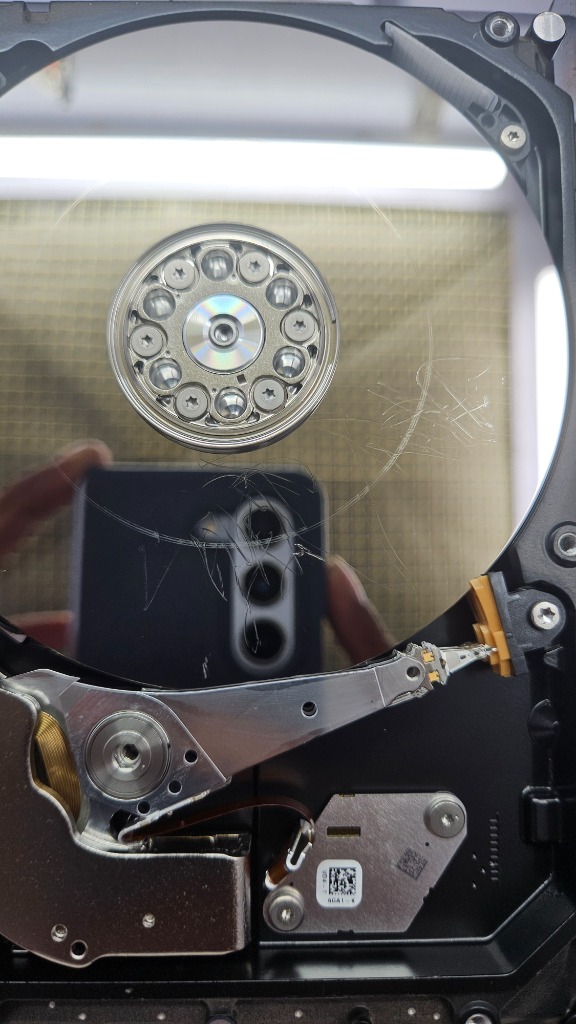
Most standard repair centers declare drives with visible platter scratches 100% permanently unrecoverable. However, through our laboratory’s specialized head-mapping protocols and selective surface imaging, our engineers bypassed the destroyed sectors and successfully recovered over 75% of the client’s critical data.
Why Hard Drive Platter Scratches Are Considered Catastrophic
To understand why physical scratches present such extreme danger to data recovery, consider the microscopic physics of a modern hard disk:
- Extreme Velocity: Hard drive platters spin at 5,400 to 7,200 RPM, with the outer edge moving at over 100 km/h.
- Nanometer Flying Height: The aerodynamic read/write slider flies on a microscopic cushion of air only 5 to 10 nanometers above the mirror-finish magnetic thin film—smaller than a smoke particle or a strand of DNA.
- Abrasive Rotational Scoring: When an amateur opens a drive and bends the suspension arm, the hardened ceramic slider collides directly with the spinning platter. This physically grinds off the microscopic magnetic thin-film (where data bits reside), generating conductive metallic dust. Similar mechanical degradation happens in clicking hard drives.
- Donor Head Destruction: If an inexperienced technician installs a new donor head stack onto a scratched platter without preparation, the razor-sharp edge of the scratch will decapitate the new heads in fractions of a second.
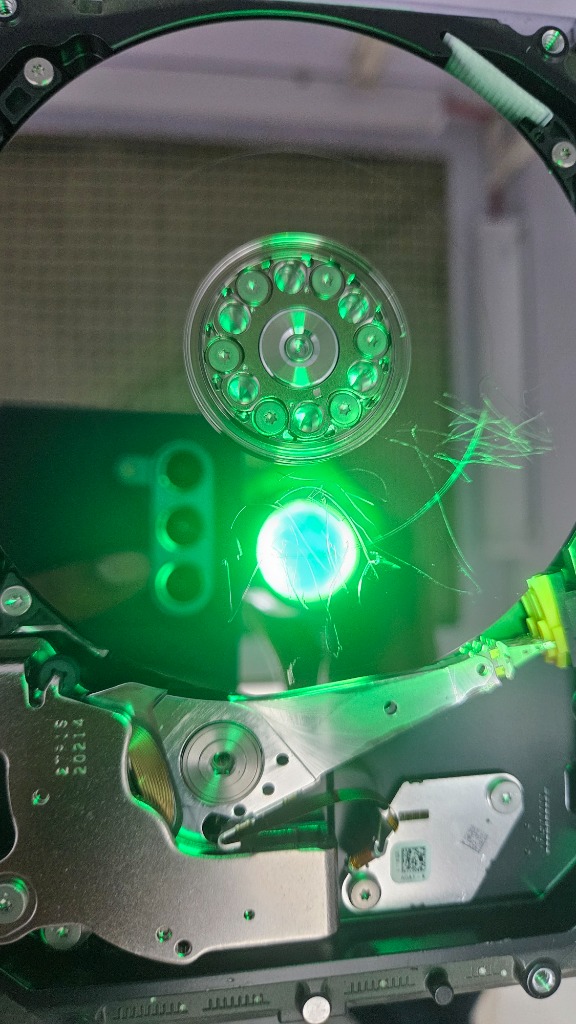
Cleanroom Optical Inspection & Diagnostic Findings
Inside our Class 100 Cleanroom workstation, the drive was disassembled under high-magnification stereomicroscopes with specialized monochromatic optical lighting to evaluate the damage map:
- Head 0 Path Damage: The visible gouges and concentric ring scoring were heavily concentrated on the top surface of the upper platter (Head 0).
- Intact Lower Surfaces: Crucially, this drive was built with multiple platters and surfaces (Platter 0 Top/Bottom, Platter 1 Top/Bottom). Microscopic inspection confirmed that the underlying platter surfaces were completely free of scratches!
- Surface Particulate Contamination: Loose magnetic dust dislodged from the scratches was resting across the platter perimeter, posing an immediate threat to any donor heads introduced to the chamber.
The Recovery Engineering Strategy: Selective Head Mapping
Because running a standard head stack would cause immediate head death upon touching the top scratch zone, we implemented a specialized selective surface extraction protocol:
Step 1: Cleanroom Surface Decontamination
Before introducing any mechanical parts, our engineers performed non-contact liquid decontamination. Using specialized cleanroom micro-swabs and filtered non-conductive solvents, all loose microscopic magnetic dust was lifted and removed from the platter chambers to prevent cross-contamination.
Step 2: Microscopic Head Assembly Modification
We sourced a matching donor head assembly with exact microcode and preamp compatibility. Working under magnification:
- The read head corresponding to the severely damaged top surface (Head 0) was deliberately isolated and modified to ensure it could not touch the gouged surface.
- The remaining healthy read heads (Heads 1, 2, and 3) were precisely calibrated and seated using specialized head combs.
Step 3: Selective Head-by-Head Sector Imaging (PC-3000)
The modified drive was interfaced with our PC-3000 hardware recovery system:
- Excluding Head 0: The imager was configured to bypass the scratched top surface entirely, eliminating any risk of donor head destruction.
- Cloning Healthy Platters: Heads 1, 2, and 3 were driven at high speed, achieving 100% raw bit-stream clones of all data stored on the undamaged surfaces. Also see our methodology on recovering drives with severe bad sectors.
- Targeted Sector Rescuing: For safe sectors lying outside the scratch boundaries, our engineers finely calibrated read currents, track offsets, and error-handling thresholds to rescue uncorrupted files.
Step 4: File System Rebuilding & Hex Reconstruction
Once raw sector images of the healthy surfaces were secured, our engineers performed deep hexadecimal file carving and master file table (MFT) reconstruction. Core accounting records, personal photo collections, and business documents were extracted and validated for integrity.
Case Summary & Technical Results
Why You Should NEVER Open a Hard Drive Outside a Cleanroom
If your hard drive is making clicking, buzzing, or beeping sounds, take note of these critical safety rules:
- Do NOT remove the screws or top lid: Opening a hard drive in an ordinary room exposes it to millions of airborne dust particles that settle on the platters and act like sandpaper once the drive spins.
- There are no user-adjustable parts inside: A clicking drive is caused by failed read heads, degraded firmware, or weak preamplifiers—none of which can be fixed with a screwdriver.
- Stop powering the drive: If you hear physical clicking or scraping, turn the system off immediately. Continued operation accelerates platter gouging until the magnetic film is completely destroyed. Review our complete guide on recovering data from dead hard drives.