
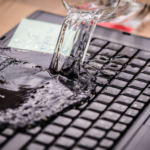
Laptop Water Damage: Can Your Hard Drive or SSD Data Still Be Recovered?
August 4, 2026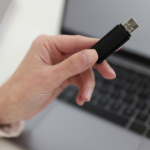
USB Device Not Recognized? Common Causes and Easy Fixes
August 4, 2026Dropping a hard drive is one of the most common causes of data loss. Whether it’s an external hard drive slipping from your desk or a portable HDD falling while connected to your laptop, the impact can cause serious internal damage.
If your hard drive contains important office documents, family photos, videos, or business data, don’t panic. In many cases, data can still be recovered—but only if you avoid making critical mistakes.
In this guide, we’ll explain what happens when a hard drive is dropped, the immediate steps you should take, and when it’s time to contact a professional data recovery service.
Can a Dropped Hard Drive Still Work?
Sometimes, yes.
A hard drive may continue working after a minor fall, but internal components such as the read/write heads or platters may already be damaged.
In some cases, the drive works for a short time before failing completely.
That’s why it’s important to handle a dropped hard drive carefully, even if it still appears to function.
What Happens Inside a Dropped Hard Drive?
Traditional Hard Disk Drives (HDDs) contain delicate moving parts.
A sudden impact can cause:
- Head crash
- Scratched platters
- Motor failure
- Damaged read/write heads
- Misaligned internal components
- Circuit board damage
Even a small drop can affect the drive’s ability to read stored data.
1. Stop Using the Hard Drive Immediately
If the drive was connected when it fell, disconnect it safely.
Avoid trying to copy files or continue using the drive.
Every additional read or write operation may worsen internal damage and reduce the chances of successful data recovery.
2. Listen for Unusual Sounds
Turn the drive on only once to observe its behavior.
If you hear:
- Clicking
- Beeping
- Grinding
- Repeated spinning and stopping
disconnect the drive immediately.
These sounds usually indicate mechanical failure, and continued use can permanently damage the platters.
3. Check Whether the Drive Is Detected
Connect the hard drive to another computer if it’s safe to do so.
If:
- The drive is detected but won’t open, the issue may be logical.
- The drive isn’t detected at all, it may have suffered hardware damage.
Avoid repeatedly plugging and unplugging the drive.
4. Don’t Open the Hard Drive
Many online videos show people opening hard drives to “fix” them.
Never do this.
Hard drives are assembled in dust-free cleanroom environments. Opening the casing at home exposes the platters to dust particles, which can permanently damage the stored data.
5. Don’t Freeze the Hard Drive
The old “put it in the freezer” trick is a myth.
Freezing a hard drive can cause condensation inside the drive and make the damage even worse.
If your data is valuable, avoid this risky method.
6. Avoid DIY Repair Software
If the drive is making unusual noises or isn’t detected, recovery software won’t fix a physical problem.
Running repair software on a mechanically damaged drive may place additional stress on the internal components.
If you suspect physical damage, stop using the drive immediately.
7. Contact a Professional Data Recovery Expert
If the drive contains important personal memories or business data, professional recovery is the safest option.
Experienced engineers use specialized equipment and cleanroom facilities to recover data from physically damaged hard drives.
The sooner the drive is examined, the higher the chances of successful recovery.
Can Data Be Recovered from a Dropped Hard Drive?
Yes, in many cases.
Professional data recovery specialists can recover files from hard drives affected by:
- Physical impact
- Head crashes
- Motor failure
- PCB damage
- File system corruption after a fall
- External hard drive failure
Recovery success depends on the extent of the damage and whether the drive has been used after the accident.
What NOT to Do
If you’ve dropped your hard drive, avoid these common mistakes:
- Don’t keep reconnecting the drive.
- Don’t open the hard drive casing.
- Don’t hit or shake the drive.
- Don’t freeze the drive.
- Don’t run repair software if the drive is making unusual noises.
- Don’t continue copying files from a damaged drive.
These actions can significantly reduce the chances of successful data recovery.
When Should You Contact a Professional?
You should seek professional help if:
- The hard drive was dropped while running.
- The drive makes clicking or grinding noises.
- Windows cannot detect the drive.
- Important files have become inaccessible.
- The drive contains business-critical or irreplaceable personal data.
Professional diagnosis helps identify the safest recovery method without risking additional damage.
Why Choose Arihant Data Recovery?
At Arihant Data Recovery, we specialize in recovering data from physically damaged hard drives, external HDDs, SSDs, RAID systems, laptops, servers, USB drives, and memory cards.
Our experienced engineers use advanced tools and cleanroom recovery techniques to recover valuable data safely and securely.
Helpful Links
Explore Our Data Recovery Services:
https://arihantdatarecovery.com/service/
Contact Our Recovery Experts:
https://arihantdatarecovery.com/contact-us/
Read More Data Recovery Guides:
https://arihantdatarecovery.com/blog/
Frequently Asked Questions
Can a dropped hard drive still be repaired?
The hard drive itself may not always be repairable, but the data stored on it can often be recovered using professional recovery techniques.
Why is my hard drive clicking after it fell?
Clicking sounds usually indicate mechanical damage, such as a head crash or damaged read/write heads. Stop using the drive immediately.
Can I recover data from an external hard drive that was dropped?
Yes. In many cases, professional data recovery specialists can recover data from dropped external hard drives.
Should I use recovery software after dropping a hard drive?
If the drive has physical damage or is making unusual noises, avoid using recovery software. It may worsen the damage.
Final Thoughts
Dropping a hard drive can be stressful, but it doesn’t always mean your data is gone forever. The most important thing is to stop using the drive immediately and avoid DIY fixes that could make recovery more difficult.
Whether you’ve lost business files, family photos, project documents, or personal memories, acting quickly can significantly improve the chances of successful recovery.
If your hard drive has been dropped, Arihant Data Recovery provides professional and secure hard drive recovery services to help recover your valuable data with the highest level of care and expertise.


