
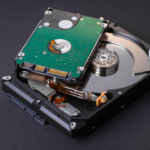
Seagate Hard Drive Recovery: What to Do When Your HDD Suddenly Stops Working
September 25, 2026
RAID Controller Failure: Can Data Be Recovered Without the Original RAID Controller?
September 25, 2026A laptop hard drive can show warning signs before it completely fails. Slow performance, unusual sounds, frequent crashes, or files suddenly becoming inaccessible can indicate that the HDD is developing a problem.
If your laptop contains important files, recognizing these signs early can help you take action before the situation becomes more serious.
What Causes Laptop Hard Drive Failure?
A laptop HDD can fail due to several reasons, including:
- Mechanical wear and tear
- Bad sectors
- Physical impact
- Overheating
- Power-related problems
- Firmware issues
- File-system corruption
- Age-related drive failure
When an HDD begins to fail, continuing to use it can potentially make data recovery more difficult.
Signs Your Laptop HDD May Be Failing
1. The Laptop Becomes Extremely Slow
If opening files or folders suddenly takes much longer than usual, the hard drive may be struggling to read stored information.
2. Unusual Clicking or Grinding Sounds
Clicking, grinding, or repeated spinning sounds can indicate a possible mechanical problem.
If your HDD is making clicking sounds, see our guide on what clicking noises from a hard drive can mean.
3. Files Become Inaccessible
If individual files or folders suddenly stop opening, the problem may be related to the file system or the physical condition of the drive.
4. Frequent System Crashes
Repeated freezing, blue-screen errors, or unexpected crashes can sometimes be associated with storage problems.
5. The Hard Drive Disappears
If the HDD intermittently disappears from Windows or is no longer recognized, avoid repeatedly restarting the laptop if the data is important.
Our guide on hard disks not being detected in Windows covers this situation in more detail.
Can Data Be Recovered from a Failed Laptop HDD?
In many situations, laptop hard drive recovery may be possible.
The recovery possibility depends on the type and severity of the failure. Logical problems may require a different approach from mechanical or electronic failures.
Even if the laptop no longer works normally, the data stored on the HDD may still be accessible through professional recovery techniques.
However, recovery is not guaranteed and should be assessed based on the actual condition of the drive.
What Should You Do If Your Laptop HDD Is Failing?
If important files are stored on the drive:
- Stop unnecessary use of the laptop.
- Don’t format or initialize the HDD.
- Don’t repeatedly restart a failing drive.
- Don’t open the hard drive yourself.
- Avoid installing recovery software on the affected drive.
- Seek professional assessment.
If the HDD has completely stopped working, you can also read our guide on recovering data from a dead hard drive.
What Data Can Be Recovered?
Depending on the condition of the laptop hard drive, recovery may include:
- Photos and videos
- Documents
- Office files
- Project files
- Business records
- Databases
- PDF files
- Other personal or professional data
The actual recovery depends on the condition of the storage media and whether the data has been overwritten or damaged.
Professional Laptop Hard Drive Recovery
When an HDD shows signs of physical failure, repeatedly using recovery software may not be the safest approach.
Professional HDD data recovery involves first identifying the cause of the failure and then selecting an appropriate recovery method.
Arihant Data Recovery provides professional hard drive recovery for HDDs from major brands such as Seagate, WD, and Toshiba.
You can also learn more about professional data recovery services when important files are at risk.
Laptop HDD Recovery in Ahmedabad
If your laptop hard drive is becoming slow, making unusual sounds, or suddenly becoming inaccessible, don’t wait until the drive completely fails.
Stop unnecessary use and have the HDD professionally assessed.
Arihant Data Recovery provides professional laptop hard drive recovery and HDD data recovery services in Ahmedabad.
Is Your Laptop HDD Showing Signs of Failure?
Don’t risk losing important files through repeated DIY attempts.
Contact Arihant Data Recovery for professional laptop hard drive recovery assistance.


