
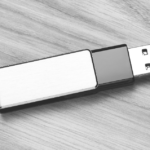
SanDisk Pen Drive Not Detected? What to Do Before Data Recovery
August 19, 2026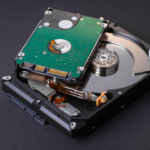
Seagate Hard Drive Recovery: What to Do When Your HDD Suddenly Stops Working
September 25, 2026A Toshiba hard drive can suddenly stop working, become inaccessible, or fail to appear correctly on a computer. If it contains important photos, documents, videos, or business files, the first priority should be protecting the existing data.
A hard drive that stops working does not always mean the files are permanently lost.
Why Can a Toshiba Hard Drive Fail?
Common causes include:
- Mechanical failure
- Bad sectors
- Electronic damage
- Firmware problems
- Power-related damage
- File-system corruption
- Accidental physical damage
- Internal component failure
The symptoms can vary depending on the type of failure.
Can Data Be Recovered from a Toshiba HDD?
In many situations, Toshiba hard drive data recovery may be possible.
The recovery possibility depends on the condition of the drive and the type of failure. A drive with logical corruption requires a different approach from one with mechanical or electronic damage.
If the drive contains critical data, avoid repeatedly trying to access it.
What Should You Do If Your Toshiba HDD Stops Working?
Stop using the drive
If the drive is showing unusual behaviour, continuing to use it can potentially make the situation worse.
Don’t format or initialize it
If Windows asks you to format the drive, don’t proceed if you need the existing files.
Don’t open the hard drive
Opening an HDD outside appropriate controlled conditions can expose its internal components to contamination and further damage.
Don’t install recovery software on the affected drive
Recovery software should not be installed or used in a way that writes new data to the drive containing the lost files.
What If the Drive Is Making Unusual Sounds?
Clicking, grinding, or repeated noises can indicate a possible mechanical problem.
In such cases, continued operation may increase the risk of further physical damage.
For more information, see our guide on hard drives making clicking noises.
What Data Can Be Recovered?
Depending on the condition of the Toshiba hard drive, recovery may include:
- Photos
- Videos
- Documents
- Office files
- Project data
- Business records
- Databases
- Other personal or professional files
The actual recovery depends on the condition of the storage media and the nature of the failure.
Professional Toshiba Hard Drive Data Recovery
Hard drive recovery can involve mechanical, electronic, firmware, or logical problems. Identifying the actual cause before attempting recovery is important.
Arihant Data Recovery provides professional HDD data recovery for hard drives from brands including Toshiba, Seagate, and WD.
You can also learn more about recovering data from a dead hard drive.
Toshiba HDD Data Recovery in Ahmedabad
If your Toshiba hard drive has stopped working and contains important information, don’t immediately format, open, or repeatedly operate the drive.
Preserve the original HDD and seek professional assessment.
Arihant Data Recovery provides professional Toshiba hard drive data recovery assistance for damaged and inaccessible HDDs.
Toshiba Hard Drive Failed?
Your data may still be recoverable.
Contact Arihant Data Recovery for professional HDD data recovery assistance.


