
Hard Disk Not Detected in Windows? 12 Proven Fixes Before You Assume It’s Dead
July 13, 2026
External Hard Drive Not Showing Up? Step-by-Step Troubleshooting Guide
July 13, 2026If your hard drive has started making a clicking noise, it’s natural to feel worried—especially if it contains important documents, family photos, office files, or business data. A clicking hard drive is often one of the earliest signs that something is wrong.
The good news is that a clicking sound doesn’t always mean your data is lost forever. However, it does mean you should act quickly and carefully. Ignoring the problem or trying random fixes can make data recovery much more difficult.
In this guide, we’ll explain why a hard drive makes clicking noises, what you should do immediately, what to avoid, and when it’s time to seek professional help.
Why Is My Hard Drive Making a Clicking Noise?
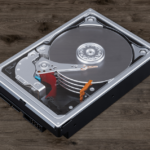
A hard drive contains delicate mechanical components, including spinning platters and read/write heads. When these components fail or cannot function properly, they may produce a repetitive clicking sound.
Some common reasons include:
- Read/write head failure
- Mechanical damage after a fall or impact
- Power supply issues
- Firmware corruption
- Bad sectors
- Aging hard drive components
- Manufacturing defects
This clicking sound is often referred to as the “Click of Death”, as it usually indicates that the drive is struggling to read data.
1. Stop Using the Hard Drive Immediately
The first and most important step is to stop using the drive.
Every time the drive attempts to spin and read data, the damaged components may cause further damage to the platters where your files are stored.
If your data is valuable, disconnect the drive and avoid turning it on repeatedly.
2. Don’t Ignore the Clicking Sound
Many users continue using the hard drive because it still works occasionally.
Unfortunately, this can make the situation worse.
A drive that works today may stop responding completely tomorrow. If you hear repeated clicking sounds, treat it as a warning sign and back up accessible data immediately if it can be done safely.
3. Check the Power and Connection
Sometimes an unstable power supply or faulty USB cable can cause the drive to behave unexpectedly.
Try:
- Using another USB cable.
- Connecting to a different USB port.
- Using a different power adapter (if applicable).
- Testing the drive on another computer.
If the clicking continues, the issue is likely internal.
4. Don’t Open the Hard Drive Yourself
You may find online videos showing people opening hard drives at home.
Avoid doing this.
Hard drives are assembled in dust-free clean room environments. Even tiny dust particles can permanently damage the magnetic platters.
Opening the drive yourself can significantly reduce the chances of successful data recovery.
5. Avoid Free Recovery Software
Recovery software is designed for drives that are still functioning properly.
If your hard drive is making clicking noises, repeatedly scanning it with recovery software forces the drive to keep reading damaged areas.
This can worsen mechanical damage and reduce the chances of recovering important files.
6. Listen to the Type of Clicking
Different sounds can indicate different problems.
- Single click during startup: May be temporary.
- Continuous clicking: Often indicates read/write head failure.
- Clicking followed by spinning down: Possible firmware or motor issue.
- Clicking after dropping the drive: Likely physical damage.
If the clicking is loud and repetitive, stop using the drive immediately.
7. Check If the Drive Is Detected
Open Disk Management in Windows and see if the hard drive appears.
If the drive is detected but inaccessible, the problem may involve logical corruption along with hardware issues.
If it isn’t detected at all, professional diagnosis is recommended.
Can Data Be Recovered from a Clicking Hard Drive?
In many cases, yes.
Professional data recovery specialists use advanced tools and controlled environments to recover data from physically damaged hard drives.
Recovery depends on factors such as:
- The severity of the damage.
- Whether the drive has been opened previously.
- Whether it has been repeatedly powered on.
- The condition of the platters.
The sooner you stop using the drive, the better the chances of recovering your data.
What NOT to Do
When your hard drive starts clicking, avoid these common mistakes:
- Don’t keep restarting your computer.
- Don’t hit or shake the hard drive.
- Don’t freeze the drive (an outdated myth).
- Don’t open the drive casing.
- Don’t format the drive.
- Don’t run repair tools repeatedly.
- Don’t install recovery software on the affected drive.
These actions can make recovery more difficult or even impossible.
When Should You Contact a Professional?
If your hard drive:
- Makes continuous clicking noises,
- Is no longer detected,
- Contains important personal or business data,
- Has been dropped or physically damaged,
it’s best to stop troubleshooting and consult a professional data recovery service.
At Arihant Data Recovery, we specialize in recovering data from damaged hard drives, SSDs, RAID systems, servers, USB drives, and memory cards using advanced recovery techniques.
You can learn more about our recovery services here:
Hard Disk Recovery Services
https://arihantdatarecovery.com/service/
Need immediate assistance?
Contact Arihant Data Recovery
https://arihantdatarecovery.com/contact-us/
You can also explore more helpful guides on our Blog:
https://arihantdatarecovery.com/blog/
Frequently Asked Questions
Is a clicking hard drive always dead?
Not necessarily. A clicking sound often indicates a hardware issue, but in many cases, professional data recovery is still possible.
Can I recover data from a clicking hard drive myself?
It’s not recommended. DIY recovery attempts or repeated use can worsen the damage. If the data is important, seek professional help.
What causes the “Click of Death”?
The “Click of Death” usually occurs when the read/write heads cannot properly access the drive’s platters due to mechanical failure, firmware issues, or physical damage.
Should I keep trying to restart the hard drive?
No. Repeatedly powering on a damaged drive can increase internal damage and reduce recovery success.
Final Thoughts
A clicking hard drive should never be ignored. While it doesn’t always mean permanent data loss, it is a strong indication that something is wrong with the drive.
The safest approach is to stop using the drive, avoid DIY repairs, and seek expert guidance if your data is valuable. Acting quickly can make a significant difference in the chances of successful recovery.
If you’re experiencing hard drive issues, Arihant Data Recovery is here to help with reliable, secure, and professional data recovery solutions for individuals and businesses.


